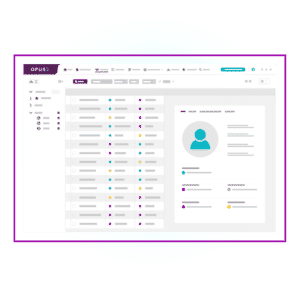

Litigation timeline software helps legal teams see the full story of a matter by turning documents, events, and evidence into a structured case chronology. With timelines at the center of trial preparation, the right tool reduces manual work, improves accuracy, and keeps teams aligned as facts evolve.
Certainly, every litigation team already uses case timelines as part of their process, but how they create them varies widely. Some gather information in spreadsheets, sifting through mountains of documents, characters, and events. Then, they use diagram software to draw their timeline, marking key events and inserting links to underlying evidence. Unfortunately, this approach is highly labor intensive and can lead to errors. On the other hand, firms that have invested in litigation timeline software can create comprehensive chronologies in mere minutes.
In this comprehensive guide, we’ll explore everything you need to know about litigation timeline software, including its definition, types, key features, and benefits. Whether you’re a seasoned attorney or a legal tech enthusiast, this article will help you understand how case chronology software can revolutionize your trial preparation process.
What is litigation timeline software?
Definition
Litigation timeline software, also known as case chronology software or legal case chronology software, is a specialized trial preparation tool designed to help legal teams organize, visualize, analyze, and manage key events, evidence, and facts in chronological order. These tools create comprehensive, interactive case timelines that serve as a visual representation of case narratives, enabling lawyers to build effective case strategies.
The evolution of case chronology management
Traditionally, legal teams have relied on manual methods to create case timelines:
- Physical whiteboards: Creating visual representations in the office using whiteboards and sticky notes
- Spreadsheets: Gathering data and tracking events and key details in Excel or Google Sheet
- Diagram software: Using visual tools like LucidChart to draw timelines and connections between events and characters
While these methods can work, they come with significant drawbacks that can hinder the efficiency and effectiveness of case management. The process is often labor-intensive, prone to errors and inconsistencies, and difficult to update and maintain. Additionally, these methods offer limited collaboration capabilities and lack integration with other case management tools.
Recognizing these challenges, leading legal case management software has emerged to address these issues by offering a more efficient, accurate, and collaborative approach to case chronology management that enables you to connect events to the underlying evidence in a single tool.
This interconnection makes case timelines more dynamic so litigation professionals can quickly navigate the elements of the case, access related work product, and review any annotations; enhancing their ability to build compelling case narratives.
Types of legal timeline software
As mentioned above, you can certainly create a case chronology manually with a variety of tools like spreadsheets or diagram builders. But the process is often inefficient, difficult to manage, and hard to navigate. Fortunately, there are better litigation chronology solutions available.
General timeline or charting software adapted to litigation
If you search online for a tool that can create a timeline, you’ll be greeted by dozens of solutions. Some general timeline-, diagram-, and chart-building tools will have legal use cases so you can see what they will look like. While affordable, they have some drawbacks you should consider.
Pros
- Often affordable or free
Cons
- Limited security and access control
- Manual data entry and updates
- Lack of integration with legal-specific tools
Creating visually appealing litigation timelines in these tools will likely require significant customization to serve your needs. In addition, entering new events, adjusting entries, and making updates will be entirely manual. Finally, free online software doesn’t have the same requirements as legal tech when it comes to security, data privacy and access control – so adding potentially sensitive client data is a risk.
Legal timeline point solutions
There are a handful of standalone trial timeline solutions available. These point solutions help teams visualize the order of events but have functionality limitations around collaboration and evidence linking.
Pros
- Designed for legal
- Improved security and access controls
Cons
- Limited functionality and value beyond timeline creation
- Minimal integration with document management tools
- Creates an additional step in litigation workflow
Because document management isn’t a part of the solution, you must manually download the files from your eDiscovery tool and then upload each one to the case timeline software creating duplicates. Additionally, documents in the point solution are static and won’t reflect any subsequent changes made to annotations or designations without repeating the download and upload process again, which can be incredibly time consuming.
Chronology tools in case management software
Timelines are central to building successful cases, so it shouldn’t surprise you that the best cloud-based legal case management solutions include advanced tools for case chronologies. Designed specifically for litigation teams, case management software focuses on enhancing key trial preparation processes.
Pros
- Integrates with case management processes
- AI-assisted event creation and updates
- Dynamically links events and evidence
- Enhances collaboration and access control
- Comprehensive trial preparation capabilities
Cons
- Requires an investment
- Training and onboarding needed
Litigation teams improve efficiency by bringing together all elements of the case including hot docs, annotations, character and entity profiles, transcript management, deposition designations, virtual bundle creation, communication portals, and more.
This interconnection makes case timelines more dynamic so litigation professionals can quickly navigate the elements of the case, access related work product, and review any annotations. By centralizing case information in a single platform, litigation timeline software also enhances collaboration among team members and promotes efficient decision-making.
For the purposes of the rest of this article, we’ll focus on the third option: litigation chronology capabilities offered within a complete litigation management software.
How litigation timeline software supports the case lifecycle
Litigation timeline software adds value across the entire case lifecycle, not only at trial. A connected chronology helps teams maintain clarity as the matter develops and your legal case strategy evolves.
- Early case assessment: Build a preliminary chronology from intake documents to identify key dates, players, and initial issues.
- Discovery and review: Add events directly from reviewed documents or transcripts and flag gaps in the narrative.
- Deposition preparation: Create a character-based chronology to prepare for witness depositions. Then, link testimony to timeline events and witnesses to identify inconsistencies and surface insights.
- Motion practice: Export filtered, issue-specific chronologies to support briefs, declarations, and expert reports.
- Trial preparation and trial: Present a clean, defensible chronology for openings, witness prep, and rapid fact checking.
Key features of litigation timeline software
Modern litigation timeline software offers a range of features designed to streamline case preparation and enhance collaboration. Here are five key features that set these tools apart:
Automated chronology creation
One of the biggest benefits of litigation timeline software is the ability to add events to a chronology automatically. Users can create events in a few clicks without leaving the document or evidence they are reviewing. This removes manual re-entry and helps teams build timelines continuously as the case evolves.
Multi-view timelines
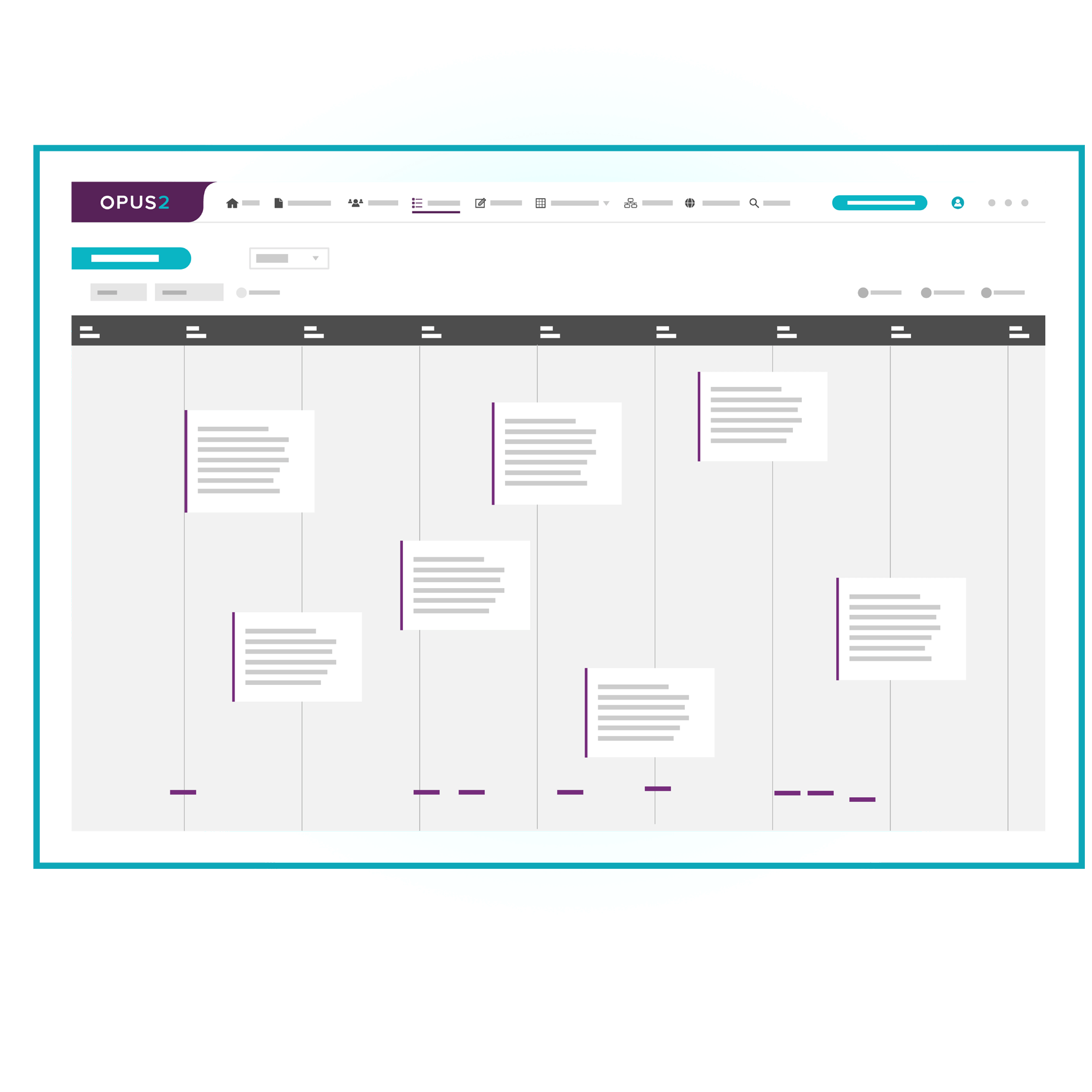
Timelines can be viewed as tables, lists, calendars, or card feeds, depending on the task. This flexibility supports different working styles and makes complex cases easier to navigate.
AI-assisted event extraction with citations
Leading litigation platforms use AI to identify dates, actions, entities, and locations across multiple documents and transcripts in the case. Each event is linked back to the underlying evidence, including page or line references, so attorneys can validate accuracy and context before adding it to the litigation timeline.
Linking and relationship mapping
Users can link different pieces of information, such as facts, evidence, contacts, images, videos, and issues, to establish relationships and connections within the case. Then, when viewing an event in the chronology, team members can quickly access the source information to dig deeper and see helpful details or context.
Real-time updates
Thanks to the dynamic connections between the case timeline and the evidence, any updates to designations and annotations in the supporting documentation automatically apply to the chronology.
Simultaneous team collaboration
Many case management solutions are cloud-based, allowing your legal team, co-counsel, expert witnesses, and other participants to collaborate in realtime from anywhere. You can share information, assign tasks, provide updates, and more to keep your team aligned.
A chronology for any use case
Throughout the case lifecycle, you may need more than one chronology based on your needs. With litigation timeline software, you can quickly customize the events and information your chronologies include using topic tags, filters, characters, and so on. In addition, you can set user access permissions so that each team member has only the information they need.
Litigation timeline software is most effective when events link directly to the evidence behind them. Here’s a quick preview of how it looks in Opus 2 Cases:

Benefits of using case chronology and legal timeline software
Implementing litigation timeline software can bring numerous advantages to your legal practice. But, before selecting new litigation chronology software, it’s important to consider how it will work within your firm. More specifically, how can you measure the value a solution delivers? Here are some of the specific ways we hear that clients benefit from legal case management.
Improved efficiency and productivity
This first benefit may be the most obvious, but it’s also the most valuable. Litigation chronology documentation is essential to proving your case. But manual workflows make it one of the most dreaded parts of the process. With litigation timeline software, it’s automated, fast, and efficient. Litigation professionals can redirect time that would have previously been spent on manual chronology management to higher-value activities.
Insightful analysis and reporting
Beyond managing case timelines, litigation timeline software offers analytical tools that enable legal professionals to gain insights into case dynamics and trends. By analyzing historical data and performance metrics, users can identify patterns, assess case viability, and make informed decisions. Moreover, customizable reporting features allow for the creation of detailed reports and presentations for internal review or client communication.
Accelerated understanding and onboarding
If your firm often engages with co-counsel on litigation matters, having legal chronology software can speed up onboarding. With a comprehensive, interactive visual overview of the most important case information, new team members can quickly understand the context of the case, dig into the details, and begin contributing in no time.
Enhanced case strategy development
With a comprehensive overview of case events, your legal team can quickly identify patterns, gaps, and potential weaknesses in their arguments. This 360-degree view enables attorneys to develop more robust and effective case strategies, anticipate opposing counsel’s tactics, and prepare stronger counterarguments. By visualizing the entire case chronology, legal professionals can make more informed decisions about which evidence to prioritize and how to present their narrative most compellingly.
For example, in a multi-party commercial dispute with thousands of documents, a connected chronology can reveal where witness accounts diverge from the written record. As events populate automatically from discovery materials, teams can filter by issue or witness to test theories, prepare deposition outlines, and spot missing evidence earlier.
Streamlined client communication
With clear, visually appealing timelines at their disposal, attorneys can more effectively communicate case progress and strategies to their clients. These visual aids help clients better understand the complexities of their cases, the relationships between various events, and the potential outcomes. This improved communication fosters stronger attorney-client relationships, increases client satisfaction, and allows for more productive discussions about case strategy and decision-making.
Choosing the right litigation timeline solution for your firm
When selecting a litigation timeline software solution, consider the following factors:
- User-friendliness – Look for intuitive interfaces that require minimal training.
- Customization options – Opt for software that allows you to tailor timelines to your specific case requirements.
- AI enhancements – Explore solutions that offer integrated AI tools for lawyers that will streamline chronology creation.
- Integration capabilities – Ensure the software integrates seamlessly with your existing tools and workflows.
- Scalability – Choose a solution that can grow with your firm’s needs.
- Security and compliance – Verify that the software meets industry standards for data protection and privacy.
- Support and training – Consider the level of customer support and training resources available.
Litigation timeline software FAQs
What is litigation timeline software?
Litigation timeline software is a case management and trial preparation tool that organizes case events in chronological order and links each event to supporting evidence.
Is litigation timeline software the same as case chronology software?
Yes. “Litigation timeline software,” “case chronology software,” and “legal timeline software” are often used interchangeably.
Can you use AI to create a case chronology?
Yes. Many modern litigation management solutions include AI that can identify key events from case documents and transcripts.
How long does it take to build a case chronology with software?
Using AI to surface key events across case documents, case chronologies and litigation timelines can be created and customized within minutes.
Conclusion: Embracing the future of litigation preparation
As the legal industry continues to evolve, embracing technology like litigation timeline software is no longer optional – it’s essential for staying competitive and delivering the best possible outcomes for your clients. By implementing a robust case chronology solution, you can streamline your trial preparation process, enhance collaboration among team members, and gain valuable insights that can make the difference between winning and losing a case.
Whether you’re handling complex multi-party litigation or complex commercial disputes, litigation timeline software can help you build stronger, more compelling case narratives. As you evaluate your options, consider how each solution aligns with your firm’s specific needs and long-term goals.
To see why the world’s most innovative and successful law firms use Opus 2 Cases to build their case chronologies and legal timelines, request a demo now.