Electronic bundling (eBundling) can be a complex and time-consuming part of litigation and arbitration. In this on-demand webinar, experts demonstrate how the right technology can streamline the process, reduce errors, and save hours of manual work.
During the session, you’ll learn how to create structured, fully paginated eBundles with hyperlinked indexes and bookmarks. In addition the panelists will share practical insights from their own experience in law firms, highlighting common challenges and the benefits of using a centralised, configurable solution for your case documents.
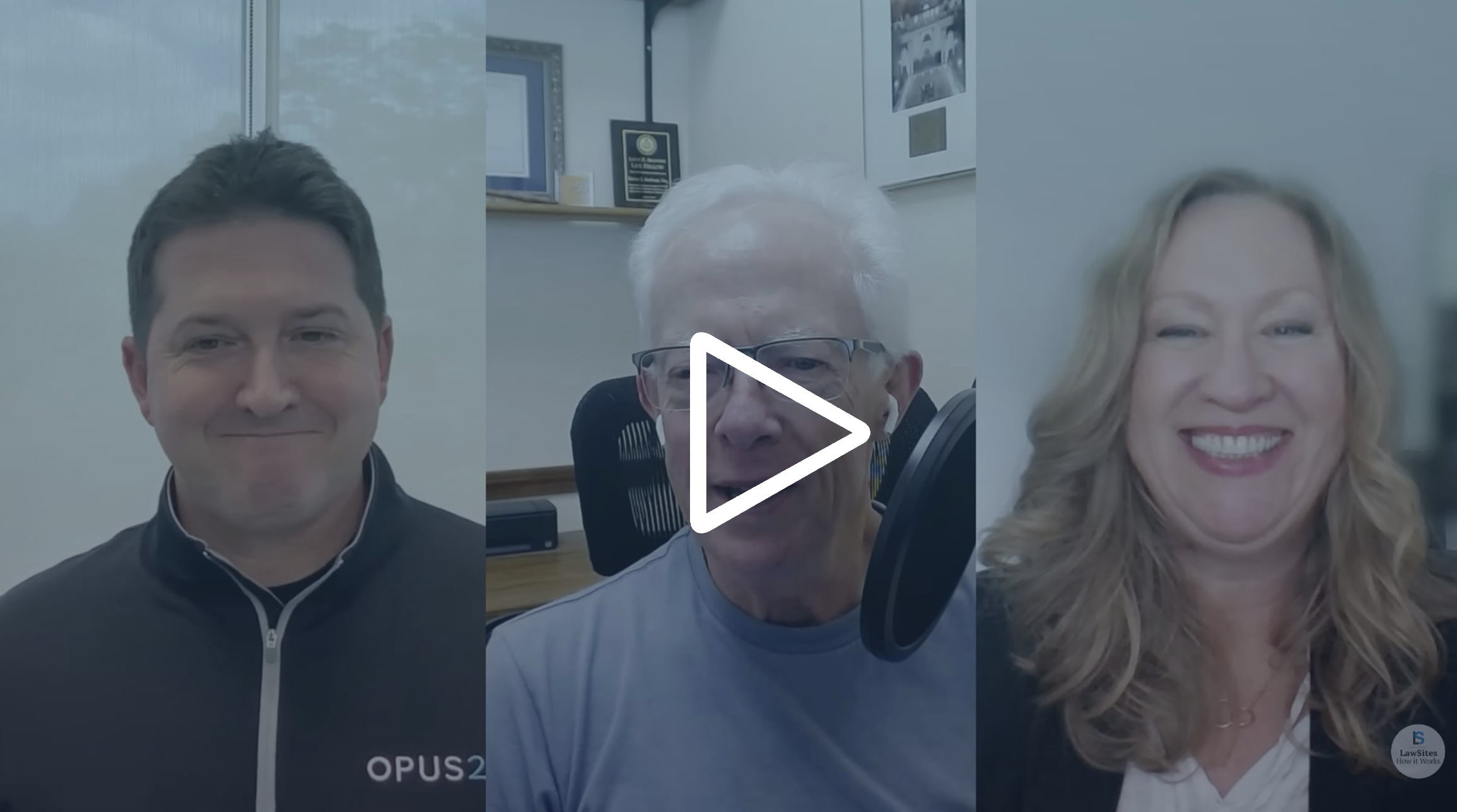
Thank you for joining us today. Today, we’ll be discussing the topic of e bundling and how this can be simplified using the right technology. We’ll show you how using collections in Opus 2 case preparation can help and discuss what you need to look for in any technology you might be considering. My name is David Nichols, and I’m joined today by my colleagues, Nadia and Arianne, two of our subject matter experts in our product team. Nadia, then Ariane, could you introduce yourselves, please? Yes. Of course. Thanks, David. Hello, everyone. Thank you for joining us. I’m Nadia Niklao. I worked in private practice for almost ten years, specializing in litigation and arbitration. I worked at Kugang and Kidan, a boutique litigation arbitration law firm in London, and joined Opus 2 as a subject matter expert almost two and a half years ago. Thanks, David. And hi, everyone. I’m also a subject matter expert here at Opus 2. I’ve been with Opus 2 for just over a year. And in terms of my previous experience, I have experience both in private practice as a general commercial litigator and more recently in litigation knowledge management, for practical laws dispute resolution team. Thanks. So, yeah, document bundling in litigation arbitration. Now this is this is a a recurring pain point that we frequently hear when we’re out talking to to law firms of all shapes and sizes. And, you know, Nadia, from your from your point of view, I’m pretty sure you’ve done some a fair share of bundling in your time when you do or in your practicing lawyer days. And fortunately for us, you’re gonna share that experience with the, with the audience and then also discuss how the benefits of bringing the right technology to that simp that threaded bundling process can potentially make lawyers’ lives easier, you know, through right through the life cycle of a dispute. For the audience, if you have any questions, during the webinar, please submit them using the q and a function, and we’ll answer those towards the end of the session. We have received, a few questions ahead of today, which is great, and we’ll address those as well during the next thirty minutes. Just quickly, for those of you who potentially don’t know who Opus 2 are, company’s been around about fifteen years, and we offer legal industry leading services and technology for litigation arbitration hearings as well as dedicated case management software. What this means to you is, basically, you can use Opus 2 throughout the life cycle of a dispute from the very beginning potentially to the very end. So before we dive into, the how we’re used to and how we do work in the future, you know, let’s let’s chat a little bit about what collections are. Yeah. Sure. Thanks, David. So, Opus 2 case preparation, is a solution designed specifically for litigation and arbitration lawyers, to use from the outset of their dispute. And it includes various features, including a tool called collections, to support lawyers with e bundling. Our solution is highly configurable, and we can create, what we call project templates, which can be configured to, a firm’s best practice, meaning that you don’t need to create a project or bundle, from scratch each time you start a new case. Those templates will be ready for you to use. So in terms of collections, in a nutshell, they allow me to create structured or unstructured bundles, depending on the purpose, where I can add virtual copies of my documents and seamlessly edit the structure by moving documents around, adding documents, or removing documents until I’m happy. I can then, in a few short clicks, create a fully paginated, PDF bundle, with a hyperlinked index and bookmarks, which I can easily share externally, be that, for the courts, my clients, or a barrister, for instance. And I can do this, all while, ensuring that I stay compliant, with the judiciary’s guidance on electronic bundling if I was, say, to prepare, a bundle for court, for example, for an interim application hearing. But just to clarify that here, we’re not just talking about court bundles, but also internal bundles, prepared for, internal meetings or to accompany internal memos. Also bundles, for when counsel is instructed, so accompanying those instructions, or bundles, to accompany instructions to an expert. If a litigation funder is on the scene, bundles of documents that you want to send to them in relation to the case, if you’ve got to a point in your case where, mediation is upcoming, bundles to accompany a mediation position statement, or bundles prepared for witnesses. And the list does go on. So simplifying the preparation, of electronic bundles really is essential, for any litigation or arbitration lawyer. Brilliant. So what we’re gonna do is, hover over some of these sort of common pain points that you both faced when, in product practice and how then and then how, a technology like collections in case preparation can help mitigate these. So we’re gonna start with actually finding documents in the first place and then layer on this pane by working through bundle ordering, edits and changes through to, the bundle index creation, potentially end. So, Nadia, starting with you, can you tell us a bit about a sort of typical bundling process, whether it’s the electronic hard copy back in the day when you were were practicing in law, and and what were those sort of, like, key challenges you faced? Yes. Of course. I mean, the whole bundling process was such a pain. I’m so glad that I do not have to go through that again, to be honest. One of the main difficulties at the very first stage was collating the documents for the bundle I was preparing as they were often in different places. So in email attachments, shared folders, local drives, document management systems, etcetera. And it wasn’t just finding the document, but also the fact that I had to then save them in a folder locally on my computer. And even naming them was such a pain. When you’re looking for the right technology, in my opinion, you need to make sure you can use it from the get go. You don’t want to wait until the last minute, and technology that’s designed just for bundling will inevitably mean pushback from the client until later in the life cycle of the dispute. You need to look for technology with easy and user friendly document ingestion process, allowing you to have all your key documents in there, with, obviously, the ability to name them easily and having the flexibility with any metadata fields, relevant to those documents. As you don’t know what details will be needed in the bundle index in the end or in the document pagination. Let me show you, what I mean with, two case preparation. So what you are viewing, on your screens now is our, case preparation solution. You have many tools at your disposal to help you manage, your case from the get go. You have your documents page, which is what you are viewing, but you also have several other tools, to assist you including your chronology tool. On the left hand side, you see your, folder structure. This could be your best practice folder structure, which can be templated. So it’s there for you when you initiate the case. You don’t need to do it from scratch. In them and this is sorry. This is where all your key documents would be living, and these are your source documents. Below here, you have your collections, and this is what we’ll be talking, today. In the middle view, you can see all your documents. And by clicking on a document, you can preview it on the right hand side. All these columns are your metadata fields, and they’re completely configurable. And, it’s you who decide what this, will be. Now how you upload a document? We talked about easy ingestion. So here you click on the upload. You can simply drag and drop your, files, here. You can even, drag a whole email. So it’s oops. It’s very easy. You can choose the folder it goes into. You can even create a new folder that it can go in. You can, it can be OCR’d on upload. And it’s important to note that when you upload, it’s converted into PDF, so you don’t have to do that. But you also have access to, the original document. And, our platform accepts almost any type of, file, any format of the file. We mentioned the pain point that I had in naming documents. Here, very easy. By clicking on the document, you can view it on the right hand side so you can see what document it is about, and then you can amend the name of the document. You can add whatever you want to add in the name, change it completely, change the dates, and then there you go. You have the new, document, name. And as I said before, you have complete flexibility with all those metadata, fields, which include tags, exhibit numbering, etcetera. Cool. So it sounds like that, you know, finding documents is then gonna be easier. Put put them all into into those folders. So does that mean you can simply then go ahead and start building a bundle using the collections feature? Yeah. That’s right, David. You can. Let me just show you how we can do that. So as Nadia mentioned, we have our folder structure here on the left hand side, which can be templated. And scrolling down, we can see our collections. And, again, this can all be templated, to the firm’s requirements, or to court requirements. For example, here you can see a procedural hearing structured bundle. So the way I create a collection is really easy. I just, go onto this icon here, and then I can fill out the information that I need to. When I’m creating my collection, I can choose if I want a specific folder structure, and I can do that just by toggling this on. And then I can decide whether you want to have, for example, sequential, pagination, and I can then choose the format of the sections, and whether you want the pages within the documents to be defined per document or continuous counting, across the documents. So in the example that we have here on the left, let’s say that we are let’s say that we’re a junior lawyer, and we’ve been asked to prepare a procedural hearing bundle, for an interim application. So I’ve got my bundle here, and I can start adding documents, from my main folders simply using drag and drop. So here you can see my documents from my main folders, and you can see that some documents have been tagged, add to bundle. So I’ve got a couple of handfuls of documents here, but in the case of, if the case is particularly large, there’ll obviously be many more documents. And what I can do is I can quickly filter out the documents that have been tagged add to bundle. I can then select those and drop them into the relevant folder, in my collection. Now, one thing worth pointing out here is that with our collections feature, you don’t work with duplicates. There’s only one original, source document, and that sits in the main folders. And any documents that are added to collections are basically virtual versions of the document sitting on top, and I can add as many of those versions to as many different bundles, as I need to. If I remove a document from a collection, that won’t delete the document, from my main folder. But if I delete a document from a folder, it will also delete the document, from the collection. And, also, renaming a document, Nadia showed us how we can rename documents, a few minutes ago, means that all of the virtual versions in my various collections will also be updated. So I don’t need to click into each of those and individually update them. Thanks, Ariane. It looks like we’re making a lot of, you know, manual processes simpler, but let’s rewind both of you back to when you were preparing bundles when you were back in in in the law firms you were at. And, you know, after you’d found the documents, you know, how would you have dealt with putting those documents into the correct order? David, it was such a pain to order them, and it took hours, even days. Back in private practice when I used, to work with the law firm, I either had to add a number at the beginning of the file name, which is unworkable if you have more than a few documents, or, I had to order them in a PDF software, which meant just manually clicking the that up button multiple times until it got in the right, position. The whole OCR was another story. I would either have to scan them with the OCR functionality on or do it on a PDF software. Then you had to combine them all into one PDF. And, of course, who has not had the joy of that scanner jamming or misfeeding? Honestly, I do not know how many times I wanted to just break that scanner. When you’re looking for the right technology, I think you need to make sure that this whole ordering of documents in a bundle is easy and user friendly and flexible. It takes so much time and you need it, so it’s something you need to look for. And, also different bundles need to be constructed differently, rules change, so you do need the flexibility. Otherwise, you are stuck with something that does not really help you. Now let me go back to our collections page. So, Ariane just added some documents she was showing you into these statements of case. So let’s go in there. So you can see I have a couple of documents. Obviously, you could, have a lot more. What I really like about collection is that collections is that you can order them by date. It’s really easy, or you can sort them in whatever order you want just by moving them around. So let’s say here, my statement of defense, you can see it’s at a bundle a, tab three. Let’s say I want to move it up to, this position here. So you can see it became, tab a number two. I can keep moving my documents around, and you saw that the order gets automatically updated. And, also, I said you can order them in any way you want. So I can order them by office ID if I wanted to and apply that order. I can order them in alphabetical order or by date. So it’s up to you to decide and it’s that flexibility that’s really important. You can keep adding documents or deleting documents and, the bundle order would keep updating. So if I add a document there, you will see let’s say I add that one. If I drop it in there, you see that it goes at the bottom. It’s automatic a four, but I can move it around if I want to. Once I’m done, I can lock, the, order numbering, and you see that now it’s in file final form. But, of course, I can unlock it if I want to change something. Okay. Cool. So let’s start with we found our documents. We kind of, like, you know, organize them, you know, happy with, you know, how they’re looking. And then I’m sure then once you’ve you’re, you know, happy with the order, you’re you’re kind of done then. Right? You wish. So not really. Inevitably, some documents might need deleting. You might need to reorder the bundle or add new documents as late inserts. As I did not have the benefit of using the right technology, when I was in private practice, this was a complete nightmare. And a lot of the times, these things happen at the last minute, so you have that stress, as well. And the the hours I spent dealing with this, reordering everything, paginating it again, doing the whole process, even just slotting the inserts in was such a pain. It was all done manually whether you did it with a scanner or a PDF software. So it was really difficult. And now with, collections, one thing that I like is that if I need to add a late insert, I can just do it easily without affecting the existing bundle order, and it also it will update the order, automatically. So let’s just check this, test sample that I have here. Now it’s not, locked. So let’s say I’ve, locked it because I’m done, and now I want to add a late addition. Let’s say this is a document I want to add. Just dropping it there, you see that it gets, a four, because it’s at the bottom. If I want it there, I can lock it again, and then it will cement its place there. Or if I want to move it further up, I can sorry. Just one second. There we go. So if I want to move it, further up, I can. So moving it further up, you see that it becomes a two point one, with the delimiter, and I’m flexible. And you can see it’s the clearly that it’s a late, insert. And, of course, I can also stop additions. So when I’m done, I can lock it and stop additions and would and it will not allow me to add any more documents. Hey. Cool. I mean, this looks like it’s gonna, you know, save a lot of lost evenings and and weekends perhaps. But one of the thing that we regularly have to talk about with with with our clients and and other firms is going to be pagination. So, like, you know, you’ve got all your bundle ready. You’re ready to paginate. But when we spoke about this before the webinar, you were saying that this is something that, actually, you’d rather another thing you’d actually rather forget from your from your experience previously. Yeah. I think, Nadia and I both agree when we say we wish we could forget pagination. For us, it was a real pain, certainly for myself. It was quite some time ago since I, was in practice. And so sometimes, on a rare occasion, I did have to paginate by hand. And you had to be absolutely sure that the bundle order was all correct before starting to paginate. Otherwise, you would have to redo the whole thing. I did also use a scanner to paginate. Again, printing documents and then feeding them through the scanner. Nadia has mentioned all of the difficulties with the damming and misfeeding. And then if we weren’t outsourcing, printing to, another company, we would have to then ourselves print multiple copies, of the same, but create paginated copies of the same bundle many times. And I really don’t want to think of the amount of wasted paper, since you had to print the documents unpaginated and then paginate them all the waste of paper when there was a mistake. However, with, a tool like collections in case preparation, I can paginate really easily. So let me just show you how. So going back to the example, of the procedural hearing bundle, that we mentioned earlier, Nadia mentioned that once it’s in fine final format, I can stop additions to it. And the way I would do that is just by, this one already has its addition stopped. So let me open it again. So you can see here that the box is open. So this will allow me to add more documents, but I can stop additions, which means that this is in my final in final format and no more documents, can be added. When I then go to export, before the bundle is exported, various options come up, and I can paginate the bundle using our stamps, feature, or any other, stamp I need. And stamps are basically, sort of reference numbers, including pagination, that can be created, for you, and they can also be templated so that they’re readily available each time, you’re creating a new project. So you don’t need to create those from scratch. If you subsequently make changes, to your bundle by adding or moving, documents, the pagination will automatically update on export. And so we talked about a needing technology that is configurable and flexible, and really that’s what we meant. You might want to paginate, with maybe the file name or here we’ve got we’ve checked also the exhibit number. And you need to you need a technology that will allow you that flexibility and not just add, you know, page numbers because there may be more information that you need to include, to stamp the documents. Well, thanks, Ariane. And it looks like, you know, using all these sort of workflows features together in concert really sort of will save a lot of time. But what about creating that sort of bundle index? You know? And, again, to compare and contrast, you know, how did you, you know, create one in the past, and how can you now create one using using collections in in Opus 2? Yeah. So, again, preparing the index was really manual and time consuming. When I was in private practice, I pretty much always created it manually in Word, adding the names of documents one by one, then adding the date of documents, then adding the page numbers, ordering and reordering the table, the index table, when documents were moved around. And if the bundle was in PDF format, then having to do that all again. And so and maybe replacing an index when late inserts were added. So it just really, really took a long time. And you also had to once you’d added the index, ensure the PDF pages match the paginated pages, and that was also, pretty much done manually. So when we’re talking again about choosing the right technology, it’s really useful to ensure that the technology, allows you to easily create your final bundle, with your index, and it needs to give you the flexibility, as to that end product. And I’ll just show you what I mean, by that. So we’re still here in our export collection feature. And here, I can choose to export, my bundle as a single PDF. If I just want the index, I would choose that here. But let’s say that I want the whole, I want the index plus the documents that are referred to. I would just toggle here. And then Nadia mentioned earlier about the, metadata fields of documents. So basically, that table view that we saw earlier. And you can basically choose, the information that you want to include in your index. So generally speaking, say we were preparing a bundle for court, I would want the bundle order, the document name, the date of the document, and the page numbers would be added, automatically using my stamps feature. So once I then click export, that will, export out, into a fully, paginated bundle with a hyperlinked index, and bookmarks for each specific document. And in true Blue Peter style, I’m going to show you what that looks like. So what that will then show for me is go back to my screen share. It will show, as you can see here, my fully paginated bundle with hyperlinks to the relevant documents, and the documents have been bookmarked on the right hand side. So clicking into one of the index entries will take me directly, to the document. Once I’ve exported my collection, I can share it securely. So, normally, in the past, we would share this by email. But what you can do with Opus 2 case preparation is share your bundles via a dedicated, secure, and branded, portal, which we can create for you. And that can be specific to your clients or any other external parties, for example, witnesses. And that’s really helpful because it, gets around things like having to share documents by email and then having to split those documents to accommodate file sizes or use FTP sites, which may not totally be secure. And so that’s really what we see a function for the portal of to help share documents and share bundles once they’ve been created. Thanks, Ari. And that I mean, that looks great and and and to both you and Naida for, you know, frankly, revisiting some of your nightmares with this. I don’t think that, need to go into too much detail from a from a functional perspective. The the demo pretty much speaks for itself. But, Nordea, could you briefly mention, you know, what what sort of efficiencies can you see or we’ve seen, you know, law firms gaining by employing a technology like, Opus 2 case preparation when creating bundles? I think maybe it’s clear that you can use technology and that you should use technology to eliminate all those manual tasks which are prone to error and just save you hours and hours. And not to mention minimizing the use of paper and reducing your carbon carbon footprint, which is something that is really important. In addition, because of a suitcase preparation is not a point solution purely for bundling, you can use it from the get go, and you do not need to wait until the last minute to start preparing your bundles. I think it’s just no wise to wait until the end to do so, and so it’s very helpful to use the technology from the get go to manage your case and do your bundling. You are also more likely to minimize write offs when preparing the bundle as, you will be spending less time on on administrative tasks and be more focused on the value add tasks. Yeah. I think that’s, that’s a great point you raised, particularly in relation to the, to to not not being a point solution or being a combination of of technology sort of woven together to try and achieve something similar because now Opus 2 case preparation was designed to to be a lot more than that. It was to designed to address that challenge. It’s more than a bundling tool. It’s essentially something that can cater for challenges across the whole life cycle of a dispute, you know, from day one. You can build a chronology. You can link it to the relevant documents. You can collate all the information around relevant parties in the case and and record their relevance to the dispute all in all in one single place. So that means, you know, having all of that information and connections in in a in a centralized repository, if you like, really assists with teams’ analysis of a case. And this is kind of what we’re sort of calling a three hundred and sixty degree review of a matter by, you know, linking that chronology events, characters, notes, and documents together. We don’t have time to go into all of that in detail today. We frankly covered, like, one element of that with regards to collections today. But we will be covering how effective this three hundred and sixty degree view can be in further webinars that we intend to run on a regular basis. In fact, following today’s session, we’ll be asking you, our audience, what you’d like to see next. So look out for a short survey asking for your feedback and also to share the topic that you’d like to cover in, one of those following sessions. Anyone interested in finding out more right now can contact us after the webinar, and I’ll shortly share you a, an email address to do that. And we’d obviously happily arrange for a, a a demonstration and a longer discussion. Before we come to the end of today, we do have a few questions to address, with Nadia and Arianne, some of which have come through today, some of which were, sent earlier on. So the first one, which will go to Ariane, I think, is how do you annotate or mark up documents that have been added to a collection? Yeah. That’s a really good question. So, we have a, tool within, case prep, which is called notes. And, basically, this allows, a user to, add notes to their documents. And within a collection, you can add doc you can add notes to the documents to the virtual copies that we mentioned earlier within the collection. And they those notes won’t appear in the source. And then when I export my collection out, I can choose whether to include those notes or not when I, when I’m sharing when I want to export that, bundle and share it externally. Brilliant. Thanks so much. This one’s for you, Nadia. Does your solution assist with adding unique exhibit numbers to documents? Yep. Another good point. And, yeah, I know that it’s very usual in arbitration cases, for asking to add the unique exhibit numbers. And exactly for that reason, we made sure that our solution has the capability. So you are able to give your documents, unique exhibit numbers, whether it’s the claim on so c zero zero one or whatever or r or, anything else. So, yes, you can, do that and add that field either as a pagination or in your index in your bundle. Brilliant. So as applicable for litigation as it is in arbitration. Great. Yeah. This one’s slightly longer, so it’s going to go to Arianne. There is a requirement in the judiciary’s guide for electronic bundling that the page numbering should start at page one for the first page of the bundle whether or not that is part of an index. Can I do that? Yeah. That’s a really, great question as well. So, in short, yes. We can. So earlier, I showed you the export function. You can actually choose where you want the pagination to start from. So if you want to if you want it to start from the first document in the collection or later on, and that’s really straightforward to do. Brilliant. And I think I’ve addressed this one earlier on, but it sounds like it is a frequently asked question or challenge to be addressed. It’s how can I add and update documents within an existing bundle? So it sounds like someone who’s struggled with that late at night, ruined their weekend before. Yeah. I I think it’s a huge pain point. And, yes, as we’ve shown, in the before, yeah, you can really easy you can easily add documents, update, documents in your bundle, and you saw that it can update automatically. You unlock it or you have it as an insert, and you have flexibility as to the delimiter, the numbering, etcetera. So, yes, it will save you so much time. Brilliant. Okay. And the last one, unsurprisingly, is, are there any AI features in the solution that can assist with bundling? I can probably contribute something and answer that. Yes. There are. This is something that we’re looking at right now. And, you know, from our perspective, we’ve got a number of different avenues of interest from existing and prospective clients. And what we’re doing is sort of like looking at what the major problems we can, address and essentially put those together into a, suite of AI based workflows. Those will be coming out, during the course of this year, and more information is going to be shared, at the appropriate time. We’re very likely to be covering, some of those different features in an upcoming webinar. But the short answer is going to be that we are right now looking at including, AI assisted workflows to make some of those tasks that we already know are, time consuming even easier. So automated ways of creating chronologies, creating character lists, document summarization, and a simple and straightforward natural language way of of searching and and inquiring, into your sort of factoring of information. So lots of exciting stuff coming up, down the road, from an AI perspective. I think that as well just about wraps up, the time that we’ve got today. So, again, thank you, Nadia and Ariane, for your time and to all of the people that were able to join us on the webinar today. I hope and I think that you should agree now that the concept of preparing electronic bundles can be made easier and why using the right technology can to can actually save, many hours of your time. Once again, thank you for joining us. Look out for your, follow-up email, and we hope to see you, at another one of our webinars in the future. So much. Thank you for joining. Thank you. Bye. Bye.
Watch the on-demand webinar now to discover:
- How to efficiently find, upload, and organize documents from multiple sources
- Techniques for ordering, editing, and updating bundles with minimal manual effort
- Best practices for creating paginated eBundles with hyperlinked indexes and bookmarks
- How to share bundles securely with clients, counsel, or external parties
To explore court bundling software enhanced by AI, request a demo with an expert
Session speakers

Nadia Nicolaou
Disputes Expert


Ariane Tadayyon
Disputes Expert