Law firm and corporate investigations teams often manage critical work across disconnected systems, which slows progress, increases manual effort, and makes collaboration harder.
In this on-demand webinar, you’ll see a demo of how the Opus 2 platform streamlines investigations, bringing documents, witnesses, events, interview preparation, and reporting into one secure workspace.
From regulatory investigations to employment investigations, with Opus 2, firms can reduce administrative burden, improve visibility across the investigation lifecycle, and give legal teams a more connected way to work with colleagues, clients, and third parties.
Okay. I think we should get started. Well, good morning, everyone. Good afternoon for those of you calling in from the East Coast. Before we begin, I’d like to first thank ILTA, International Legal Technology Association for partnering with us and for giving us the opportunity to present to you today. We at Opus two are very excited to preview a new solution that we just launched, and that’s Opus two investigations. This call has been scheduled for an hour, but we have a pretty short presentation. So I don’t think we’re going to use up, the entire hour, but we will make sure we have enough time for questions at the end. So before we go deep dive into, our presentation, and the solution that we’re very excited about, I’d first like to introduce myself, and, I will let my colleague Kim introduce herself as well. I am Lisa Pistelios Okat. I’m the senior vice president of operations for Opus two in the US. I’ve been with the company for seven years now, but I’ve been working in the legal tech industry for the last twenty years. My role here at Opus two is to oversee client engagement, making sure that our customers are making the most out of our technology and services. I also make sure that our teams really understand both, the common and unique needs of our customers and that we’re delivering our software and services to address those needs and add more value. I’m joined today by my colleague, Kim Bookout. Kim, I’ll let you introduce yourself. Thanks, Lisa. Hi, everybody. It’s great to be here today. I’m Kim. I’m a solution consultant here with Opus two. I started at Opus two in September of last year, so I’ve been here just a little bit over a year. And before that, I had spent over twenty years in firm. I started as a litigation trial paralegal, moved into ediscovery ediscovery and litigation support, had worked very closely with Opus two while I was in firm. And I’m excited to be working with the Opus two solutions and specifically to be showing off, the investigation solutions today. Great. Thank you, Kim. So for those of you who have worked with us, in the past years, I think you will know this, but that Opus 2 has really been at the forefront of innovation in legal technology since the company started back in 2008. In the US, we have modernized the way law firms have handled case management and litigation, and we’ve also evolved the way hearings and arbitrations are conducted globally. Over the years, what we have done quite successfully here is really partner closely with our law firm clients to understand their challenges, their pain points better, and build our solutions to address those specific challenges. We started offering our case management solution for litigation here in the US in twenty sixteen, and now we are used by eighty eight percent of Am Law 100 firms and seven of the top ten global firms. But, historically, Opus 2 has really been very focused on disputes. Now in working with the same set of clients over the years, we’ve started to understand, very similar needs in other practice areas such as investigations, which, as we understand, is quite underserved when it comes to technology. So in using, the same robust capabilities that we already have in our case management solution, we have a pretty strong foundation to develop a more tailored solution for investigations. In working with many of our clients, we’ve learned that many investigation teams use multiple disparate systems to do their work. So for example, they put their documents in their eDiscovery systems. They use Excel to manage the witnesses and track key events. They use Microsoft Word to create outlines and interview questions and maybe Outlook to manage and schedule witness interviews. And what we’ve really heard consistently is there’s gotta be a better way. So we partnered with our clients, including Linklater, which you see on the screen, to create Opus 2 investigations. This tailored solution aims to automate many of the manual time consuming tasks that investigation teams do, such as preparing witness bundles, you know, putting together interview questions, creating and updating chronologies of events, among other things. And besides automating manual tasks, the solution also provides legal teams with a secure, adaptable, and connected work space for the entire life cycle of the investigations. So it really aims to, you know, bring together not just the entire legal team, but also clients, witnesses, third parties in one secure cloud based solution for a much more seamless collaboration. So this is just an illustration of what our solution covers. And I know there’s a lot of information in here, and don’t worry, I’m not gonna explain each and every one of those capabilities because Kim here is, actually gonna show you a demo. But what I just wanna highlight here is that what we’re offering really aims to bring the entire team together, working in the same platform from the outset of the investigation, you know, from from the scope of the investigation being defined, you know, bringing in the documents and other information that investigation teams need to review and analyze, developing the chronology of events, managing the whole witness interview process, all the way to the conclusion of the investigation, and then putting together the investigations report. So you can see that we really took account of everything. So at this point, I’m gonna hand it over to Kim who will give you guys a demo. Thank you so much, Lisa. I’m gonna go ahead and pop into my workspace. As Lisa mentioned, this is cloud based, so you can access it anywhere where you have Internet connectivity. We are also browser agnostic, so however you like to work is the way you can work. And, you know, before I get into this dashboard, well, let’s just talk about kind of the types of investigations that you might be faced with. So when you think about investigations, there are regulatory investigations, employment investigations, internal white collar, criminal. There’s crisis management stuff that kind of overflows into some of these investigation, workflows. And so what we’ve done here is design something that is configurable to any of those investigation types, and I think you’ll see that there is utility in each, stage here. So there’s a lot of overlap between investigations. Essentially, I say it’s the, you know, who, what, when, where, how of a of a matter. So let’s start talking about this dashboard. So what you’re gonna see on your dashboard depends on who you are and what your role in the case is. So I’ve configured this dashboard to help me get an understanding at a glance of the witnesses in my case. So the number of witnesses that have been identified, thirteen. They are split across, knowledgeable third parties, former employees, and current employees. And then you’ll see at this next widget, I get to see a bit of a quality, comparison. So as my team has been reviewing documents, witness statements, they’ve been kind of, making an assessment about the, credibility and quality of the witness. And as you might expect, my current employees probably have, the highest score here. Four more employees are probably scored a little bit lower. And then my knowledgeable third parties, there’s a bit of a mix. This next, widget I have is our, inner our progress on our interview questions. And so a workflow that we have designed and set up here is that you could be working with a, small or a large team, but, essentially, maybe you have a junior, associate who’s going through taking a first pass through your documents, identifying some potential questions to ask witnesses. Maybe a senior associate or a partner then can go in and make a final determination about how to use those questions. My interview status pie is showing how many interviews have been completed, scheduled, or not set. I just wanna make sure I’m staying on track and on top of getting all of these witness interviews concluded before it is time for me to submit a draft report. As my team members have been identifying potential concerns with witnesses, So for instance, with AJ, I can see here that he’s reluctant to confirm his interview. He’s got issues with his current employer. I might have to kind of work on that. We’ve got Emily here. She’s leaving the company soon, so we need to finalize this interview, as soon as possible. And then here, we just have a general kind of witness concern. And then I also have a section here just for where my witnesses are located. So you may have witnesses that are far flung around the United States or globally. So when you’re trying to figure out what kind of, resources to deploy, it’s nice to kinda know where they sit. So I can see who where my New York witnesses are, London witnesses, Houston witnesses, etcetera. Now as you can see, this is a very detailed dashboard for kind of one element of my investigation, which is my witnesses. But I can always configure this for a different stage, so maybe I’m more interested in how that draft, report is coming along. I can configure this to have, metrics on that. Also, depending on my role. So maybe I’m a paralegal, and I’m in charge of assembling all of these documents or these witness packs. I may want a very different, view. This can change depending on who you are and when you are or when this where where you are in the investigation rather. So next up is our documents page. So this is going to be kind of where all of the information that you collect is going to go and reside. You’ll see I’ve got a color coded folder kind of, inventory over here on my left hand side. Now this really could change depending on what type of an investigation I’m working on. So if this is a kind of a standard employment investigation, there might be some employment files, some HR reports that I wanna make sure is in every single one. Don’t worry. This is templatizable. So for all of your regulatory investigations, you can have one template. For all of your employment investigations, you can have another template. One thing to note here, I’ve got this, folder for client documents uploads. Now I’m gonna show you a way for the client to interface with our data without having this kind of overwhelming view, and that’s gonna be through our client portals. But for now, what I’d like to show you is that you can click on these dots, and you’ll notice that I am already watching this, folder for new documents. I could also watch it for content updates, so if anybody changes anything in this folder. And, essentially, what that’s going to do is allow me to be the first to know when the client has uploaded document via the portal, and I can immediately begin assessing and making some determinations about what’s required with that. We also have document collections. So this might be under my witness packs. You’ll see I’ve got Mary Cook’s, interview is coming up. So I’m identifying documents that I wanna use with Mary. I can just simply drag and drop. Now you’re not moving these files from where they, live. What you’re doing is assigning a porter pointer to it. Now I have a couple of cool ways for, this final kind of document set to get to our witnesses. One is simply I can select this, these dots, and I can run a quick export. I can include a table of contents, annotations. You know, that is a helpful way to review things, but I also have a witness portal, which we’ll get to. The next thing you’re gonna see are all of my tags. So as people on my team are tagging documents, I can kinda quickly go in and take a look at anything that’s been tagged costs or discounts. Or if I need to make a more complex filter, I can easily do that by using my, more button and using complex filtering. Now I have saved a filter here. So let’s imagine, if you will, that I am an associate, and I am looking closely at an issue that involves price fixing. So I’ve set up a filter for myself. I’m looking for any document that’s tagged cost or discounts or pricing policies, and that is also an email because I wanna see how that communication, kind of played out. I’m gonna start by popping open, this email that you see here. First, you’ll have a details page where you can go in and click and kind of start doing some basic coding on this document. I can add review comments, tags. I can also see the related documents. So what you see here is your classic email and attachment. But what you might also see, if it were applicable, it would be, you know, maybe a foreign language document and it’s English translation, or maybe it’s an email thread group, or maybe it’s a custom relationship, that somebody on your team has set up. Essentially, all of your related items are gonna be in this panel. I can click on this attachment, and it’s going to launch me into the document view. Now I can see that somebody has been really busy on this email and adding annotations and kind of interview questions. So how do they do that? Let me show you. Let’s get to a part of this document that looks pretty good. Okay. So I’ve got this little note here. This looks like something I might wanna ask somebody about, and I can simply select it. This is doing what attorneys have been doing since the dawn of sticky notes and highlighters. They’re doing it now electronically except for our notes don’t fall off. So there’s a couple of things that you can do. I can create an interview question here, or I can create a note. And I’m gonna create an interview question because I wanna ask one of our witnesses about this. So, did go live occur as scheduled. Now I’m gonna leave this open to be reviewed. So in this scenario, I’m that junior associate. I’m not sure if it’s gonna be included in the final interview, but I think it’s a question that might be worth asking. Now if I were a partner coming in, which I’ll show you a workflow in a moment, but if I were a partner coming in, I can go ahead and, go ahead and close this, include it in the interview because I am the final word in which gets included. Now let’s see. Who do we wanna ask about this? You’ll see a list of all of your witnesses here. And let’s go to Mary Cook because I know her interview is coming up. And then are there any issue tags that I wanna associate with this? So maybe this was a key event, and I wanna ask about it. And then speaking of events, one thing that is truly essential to any investigation is kind of the timeline of events. When did things happen? And that can help you see some insights and trends in your story or the story that you’ve been hearing. Now I’m gonna look at events separately, but right now I’m just gonna save, and now this note has been applied. So if I wanted to print this doc these this parent and attachment now with these questions, visible on them, I could certainly do that. I could, navigate out to other documents. I could link to witness statements here. So if I wanted to see all of the, witness statements, well, I don’t think I have any examples here. But for instance, if I had a witness statement come in and I wanted to see everything that every witness said about these, documents, I could do that here, and then I can kind of move on. So once I’m done looking at my documents, let’s go to events because as I mentioned, that’s kind of a big a big element for any investigation. So, this is gonna be a timeline of every event that anybody has found. If I click on any event, anything in this row, the details are going to pop up here. So what type of event is this? What sources are associated with this? So for instance, I wanna go and click and see that document source. I can do it here. Are there any witnesses associated with this event? So this is another good way for me to figure out. Alright. I’ve got Emily. I’ve got John, and I’ve got Josh associated with this event. Do I have enough questions for all of these witnesses to kind of get a deeper understanding about what occurred? I can look at my interview questions to see, if there is an answer. So if this had been included in the interview, I could have also had an answer lodged here so that I get everybody’s take on this event and then any notes. Now this isn’t the only way to view my events. I have a lot of display options here as well. So if I go to my card view, maybe I wanna see my events by type. So were there any incidents? I can see any kind of contractual events, any emails, and I can interact with all of this information just by clicking on the card. I also have a workflow here where I’ve set up a kind of a complete and incomplete, event list. It’s just kind of two choices. Of course, I’ve gotten that set. So what makes an event complete versus incomplete? Well, it’s the amount of evidence I have that supports it. So let’s go ahead and pop into this event. I’ve got, you know, some good information. I have sources. Maybe I’ve got witnesses. I’ve got their interview notes. That is what makes this a complete event. I do not have to apply any more resources to this. However, as I look at this incomplete event, I might decide I need to find more sources, more details, or ask more questions about it. Once I’m satisfied, I can simply drag and drop this, and now this incomplete event has turned into a complete event, and my list is pretty clear. I can also view this in a timeline view. So if I wanna see this, maybe I wanna apply a filter to look for maybe only issues tagged, pricing or events tagged pricing. I could apply that filter, create a mini timeline, and I can export this out. It’s gonna push it to a PowerPoint presentation. So I have all of the editing capabilities of Microsoft to kind of make that final, more demonstrative timeline exactly how I want. And then, of course, there’s also a calendar view. And I meant to put some events in for October, and I failed to do it. But as you can imagine, if you’re tracking kind of current events or you just wanna see something as it occurred in the calendar, I know this actually happens quite a bit in investigations. I was speaking to an attorney just a couple of weeks ago, and she said she had actually, kind of put all of this information into an Outlook calendar because she had to see it in that format. And so it’s quite a bit of work. So this would have made her life a lot easier. You simply display it in a different view. And then I can switch back to my table view. Now onto those interview questions. As I mentioned, the workflow that we have kind of designed, which again can be customized depending on your team and your needs, is that there are going to be, open questions for maybe the partner to go in and review. So, if I’m I’ll just show you a couple of things you can do from here. One is you can just add an interview question right from here. You don’t have to go from a document, and sometimes you won’t. Sometimes you don’t have any documents to back up your question. You just have questions. That’s fine. You can add it right from here. Also, you can add, or you do a different display to kind of help you identify things that require your attention. So I’ve got type of questions. So I wanna see all of my compliance questions, my follow-up questions. But what I really wanted to show you was the question status. So if I’m that partner going in, this is the column that I’m most interested in. Is there anything open that requires my review? I just wanna keep that column cleaned out as much as possible. And this is something that could be added to a partner’s dashboard as well. If you didn’t wanna have all these clicks coming in, give them a view from their dashboard to see anything that’s open for them to look at. But, essentially, they can kind of go in, look at these open questions, see now what what is this even about. And in this, situation, if I click on this thumbnail, it’s gonna take me to that document that I have this question about, and it’s gonna highlight and go exactly to the portion that I intend to ask about, which is helpful. This is a one page document, but it’s not uncommon that you might have a five hundred page document, and you don’t wanna have to read all five hundred pages to see where did this question originate from. So it’s already gonna take that take you there. You’re gonna see any witnesses, and I see right now one of the biggest problems with this that is you know, my associate didn’t do such a hot job on is they didn’t add any witnesses to this. So I can go ahead and either add one of my existing witnesses. So let’s just say it’s gonna be Emily, or I could add one on the fly if I wanted to. And then does this question relate to any of my events? So is it related to that kind of key chronology I have for my investigations? I can click over and see. No. It doesn’t. If I wanted to, I could relate it. I’m gonna go to details, and there’s a couple of ways that I can manage this. I could either click on this and say it is final, include an interview. So I’ll go ahead and save those changes. Or another way I can do this, which I like, it requires a little bit less coding. I can you know, after I’m finished reviewing all of the details about this, I can go ahead and just drag it and drop it. I don’t wanna include this in the interview. Now let’s say I’ve cleared out my list, done a great job as the partner on this case, and now I’m ready to start putting together an interview outline. So I think we add quite a bit of efficiency here. I’m gonna go and go back to my table view. And let’s say I’m going to look at Mary Cook. I think she’s the next witness. I’m gonna go to tags. Oh, sorry. I’m gonna go to witnesses rather. Let’s find Mary. There she is. And I could filter this again to see only anything that is to be included in the interview, but let’s just pretend that all of these have met that criteria. Or I could even bulk update these to make sure that they all get included. But I’m gonna go ahead and export this out. You can export this out as a Word document, as, like, a single table or multiple table, an Excel spreadsheet, however you really like to work. I actually like this Word document view probably the best. So I’m gonna push this open, open it up in Word, and here we go. I’ve got a nice little interview outline. I can kind of have a really great head start. If I am in the interview, maybe I’m working with an associate, they can type the answer in here, and it can be uploaded later. Or, you can go ahead and start adding the answers as you go. So it helps you kinda keep up. When I’m done, I can, search for any answer, export that into a table, and I have my interview notes, kind of prepared for me. Still takes a little bit of work, but we think you will save hours of time on this process. Now notes, these are a little bit different than interview questions. They could just be general notes that you have for yourself, you have for somebody on your team. It’s something that you want to, kind of rely on when you’re preparing your final, interview summer or your final investigation summary. So what I have set up here is, say, at this point, I am a paralegal, and I am in charge of coordinating with the client on all of their document searches, and working maybe with an ediscovery vendor on processing all of that information. And I wanna make sure that we have everything. Well, you’ll see here that we have some tags for further document searches. That lets me know that somebody has found something that they need more information on. They basically need me to come in and answer, a question about this. So I’ve saved a filter for further document search needed, and I can see which ones I’ve already replied to. So these already have a reply, which means I’ve seen it. I’m addressing it. If I wanna see what what I have written, I just simply click on this. I go look at the reply. It says I requested the attachment. When I receive it back, I can close this out, and we know that there are no further document searches needed on this. Now these two don’t have a reply yet, and here are this note these notes. So, this first note is, was this ever produced by client? And maybe the answer is yes. I can go in. I can add a reply. Yes. See, ID, whatever it is. I can also link to this. I could tag this and close this out. So now, you know, essentially, the idea is, you know, questions don’t go unanswered. They go to the right people. You can keep track of where they are to make sure nothing is falling through the cracks. I mean, a lot of working in investigations is an element of just herding cats, and you’re doing it oftentimes in a very fast timeline. So anything that helps you manage this is going to be extremely helpful. Now, of course, you have all of the exporting capabilities and filtering capabilities that we have on our other worksheet, so I’m not going to spend a lot of time on that. Just want you to give you some ideas on how you can use notes. Next up is witnesses. Now this is kind of where almost everything that came from my witness dashboard well, I say that many things that came from my witness dashboards came from the witnesses tab here. So this is gonna give me a listing of all of my witnesses. If I want more information, I can kind of just scroll over. I can export out all of this information and kind of get my cast of characters together. I can also import this in. So a lot of times, we find our clients have already started preparing something like this. Maybe they have an Excel worksheet. Anyways, whatever you have, we can help you overlay this in so you can start working a little bit more dynamically with your witnesses. I can run filters for this, if I wanna take a closer look. So let’s look at Emily. I just click on her. I can see her details. You can add these pictures oftentimes from LinkedIn. I see all of this information. And if I want to edit any of it, I simply click in. I’m gonna cancel because I don’t wanna make any changes. You can see employment history, any events that they’re associated with, so that key investigation chronology. Now I get to go to the witness and say, alright. What was Emily involved in? What were interview questions for Emily? And go ahead and change this to a nice card view, so I can go ahead and take a look at all of that. Any annotations that I have, what we really consider this to be is a one stop shop for anything to do with your witnesses. And because this in particular can have so many like, obviously, if it’s an employment investigation, you’re gonna want a different set of tags for these witnesses than if this were a criminal investigation. And all of this is highly customizable. And then here are display views. This is kind of one of my favorite ways to look at, change up my display view because I like to see witnesses by their similarities to one another. I wanna start grouping people together. So maybe I wanna see people by their type. Right? So here are all of my knowledgeable third parties, my current employees, my former employees. Or maybe I wanna see everybody by credibility. So who are my low credibility witnesses and why? You can dive in and start looking at their documents, their interview statements, you know, everything there is to do with them, this is where you can really start digging in. And then, potentially, I wanna see their interview location. This is that same nice view I had from the dashboard, but, again, it’s just gonna help me figure out how I’m gonna deploy my firm’s resources to get all of these interviews done. Now aside from just these nice card views, you also have a timeline view. So maybe I wanna see people by interview date or their start and end dates. You know, potentially, if I’m looking at maybe a trade secret, investigation, and I wanna see was there any overlap and disclosure of information between the time that an employee left my client’s organization and started at a competitor’s organization. Having that start and end date time can be a helpful view. And then calendar view. So maybe I wanna see people by interview date. I’m not paralegal assigned with kind of putting together these witness packages. I could go in and say our next interview is gonna be Joan Davidson, and, you know, pull out her interview questions, look at her employment history and events, and etcetera. Really start putting that witness pack together. Now the last thing I wanna show you was one of the first things I kinda previewed to you as something that you might be interested in. I think it’s a nice, interface for clients. So as I mentioned, I don’t necessarily want my client to have to go into my workspace as much as I could restrict it to simplify a view for them. I’d rather give them a kind of firm branded, nice interface portal. So this is where I can send my client to. They never have to see everything that’s happening in the background. They’re just gonna see what I want them to see. So this is essentially saying, you know, what what’s the purpose of this? And then this is where I’m going to send them for that for them to upload documents. So when I’ve asked them to upload a document, they’re just gonna come in, hit upload. They’re They’re gonna drag and drop either individual files or folders or even zip, files. And because I’m watching that folder, as soon as it hits, I’m gonna get notified that something’s been added, and I can go in and start my review. I can either review the documents right from here or from that documents page where we started. Next up are documents that I wanna share with the client. So, potentially, I want to share progress reports here. And maybe it’s just with, in house counsel at my client’s office. There’s only one user that has permissions to this. They can come in and see all of my progress reports, make any kind of notes on them, and download if they have sufficient permissions. So a lot of you guys are already using this with secure, FTPs. It’s great. Nothing against that, but it’s still a lot of extra steps to get that to somebody. Then, additionally, you have kind of some redundant information out there, which we’re really sensitive to. We know how careful we have to be with our client’s data. So if it can be in one secure location and never leave, that is ideal. The next tab I have for them is case updates. So maybe I just wanna, them to understand what we’ve got coming up. So we’ve got a draft report due, and we are going to conclude our witness interviews. This can be edited. You can link to actual live documents. So potentially may what if your, investigation and sadly, this happens quite a bit. Well, if your investigation turns into a litigation, so you get a notice, or you get a complaint and you want to add that obviously to a case update and then link to that document, you can easily do so. And clients are the only one who can benefit from having a portal available. You’ll also see I’ve got a witness portal. So, this is really pared down. The idea here is maybe I’m conducting a Zoom, witness interview, and I direct a let’s see. Who who do we have next? We had Mary Cook. So I get on with Mary. I provide her access to this portal. We’re gonna go in, look at her folder. We can actually sort this in that very specific order. I wanna go through it with Mary. I’ve already set that up. And now we just simply go through these documents together. I can draw her attention to any of the elements that I want to ask her questions about. And when that interview is done, I have terminated Mary’s access. She has no longer has any access permissions to this portal and has never had to leave my secure environment. So I think with that, I’ve given you the whirlwind tour of investigations of what, you know, some of the things that you could do, but it is by no means exhaustive. So as you’re thinking about how to apply this to your practice, to your investigations, I want you to be thinking about, you know, about, you know, different data points and different information that you would would make your life easier if we’re all compiled in one place. And I also want you to feel as though, we can adapt that solution for you and your needs because we absolutely can. So with that, I’m gonna turn this back over to Lisa. Thank you, Kim. That was fantastic, by the way. So thank you so much. And as Kim said, she really just skimmed through the key highlights of the solution. So if any of you are going through, similar challenges, if you know that your firm’s investigation teams are going through a lot of manual, time consuming processes and potentially working in silos. You know, if there’s an opportunity to be more adaptable, dynamic, and efficient, there’s an opportunity to enhance collaboration among team members and just really streamline the whole process. Talk to us and see if Opus 2 investigations is a good fit, and we’d be happy to, you know, as Kim said, go through your specific needs and kind of how we can use this solution to address those and kinda tailor it for you. I just wanna bring this up, this slide to and I know we’ve talked about this. Both Kim and I touched on a lot of these, during this presentation, but I wanna just highlight the benefits that Opus 2, investigation, gives to you and also to your clients. So again, enhanced collaboration among team members as well as third parties, including your clients, automation of manual time consuming processes, a cloud based solution that’s very easy to use and accessible from anywhere, Opus to secure proven technology that has already been trusted by major law firms for many, many years. I know some of you are in this call, who have, worked with us on the case management litigation side of things, and, you know, we really appreciate, you trusting us with that. And then a flexible connected workspace, and, of course, you know, you you do get to take advantage of Opus 2’s expertise and our very high touch of customer centric approach. And with that, I would like to close out the presentation. I know we have a few questions coming in, but I would like to close out the presentation with a quote from, Ben Packer. He’s one of the dispute resolution partners at Linked Laters. As as I mentioned earlier, we worked really closely with Linked Laters when we were developing this technology to really understand, their challenges of the investigation teams and how we can tailor or provide a solution through, our technology, our opus to investigations. So there is a, a case study and a short video on the Linklater’s website, that talks about their challenges, their journey, and and partnering with us to develop this technology. So feel free to check on that. Just go to their website and also, and search for Opus 2 investigations. We will also be sending out information after this, webinar. We’ll send the recording, and we will send, some information to you guys if you know, to those of you who are registered for this, this webinar. And with that, I just wanna thank you, and we have a few, questions coming in. So why don’t we just go straight to that? Yeah. The first one is, yes, there’s a question about whether or not we’re gonna send the recording. Yes. I just, mentioned that we will send you the recording for this, as with for this webinar as well as, other information as well. Another question came in. What is the anticipated date, that this will go live or be usable by our case teams? And for current, Opus 2, users, is there an added cost for this option? Yes. So this is available now. If you are interested in, you know, getting access to Opus 2 investigations, just, contact your account executive, or contact us. You can also go to our website and, go to our contact us page. If you guys are already clients of Opus 2, just contact your account manager, myself or Kim. Or if you have a a account manager you’re working with, just contact them, and we will provide you the information. For current, Opus 2 case management clients, there is an added cost, a minimal cost, for this add on, and we will work with you on that, you know, based on, you know, how many users, you’re gonna need or how many users you currently have. So we we will we will address that with you specifically. There is another one, that maybe this is for you, Kim. Let me just take a look at this. If I invited outside users to this solution, how can I restrict what they have access to? Oh, that’s a great question. And it’s something that obviously is really important because if you have maybe investigators that are going to be at looking at this, potentially, you might have experts, clients. There’s a couple of ways. One is we have very granular role based permissions. So, you can add them to a group, give them very strict permissions on what files they can see, what content they can see, what notes they can see. Or if you didn’t wanna fuss with any of that, you can certainly just set up a portal like we did for the witnesses. That’s all they can see. It looks like a website. You get access to only the things that we’ve shared with them on their portal, and then, of course, you can turn off and on access as needed. So the ability to kind of, secure certain things from certain parties is obviously critically important. K. We have one that just came in. Do you have an on prem version? That’s a good question. Currently, this is only offered for hosted, cloud based version. We do not have an on-prem version yet for Opus 2 investigations, but we are definitely evaluating and considering it. So we can if you have an on-prem version of our case management solution, we can talk about that. We can discuss that offline and, see if, that will be something we will offer. But definitely something we are considering at this point, and maybe in the early, in in the near term, this is available for call based. Any other questions? I don’t think we have anything else come up. Alright. I don’t think we have any other questions. So if you guys if anything comes up, and, again, we really just scratched the surface there by, like, just going through some of the highlights of the solution, we are very happy to, have another a separate conversation and a more deep dive demo. If you wanted to if you can think of anything, specific that you wanted addressed, with your investigations practice, we’re happy to schedule another call. We will be sending you some materials and the recording of this demo. And please do contact us, if you need more information. Otherwise, we thank you for joining us today. Have a good rest of your day. Thank you. Thanks, Lisa. And thank you, Kim.
Watch the webinar to explore:
- How to manage investigations in one connected platform
- Ways to reduce manual, fragmented workflows
- Faster approaches to witness and document preparation
- Secure collaboration with clients and third parties
- Flexible workflows across investigation types
Get a demo now to explore how to use Opus 2 for investigations.
Featured speakers
Kim Bookout
Director, Solution Consulting

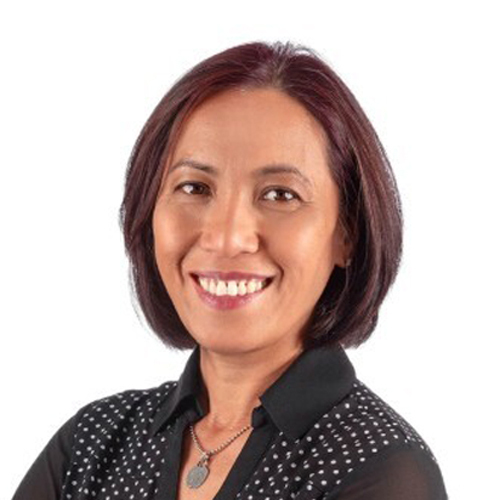
Liza Pestillos-Ocat
Senior VP of Global Client Success